Patterns
To model a meaningful and implementable EMN diagram, it's important to understand and apply four core patterns. Each pattern represents a common structure for how information flows through the system and can be visualized as a slice — a self-contained unit of work that captures everything a developer needs to implement a feature.
State-change by command#
Trigger → Command → Event(s)
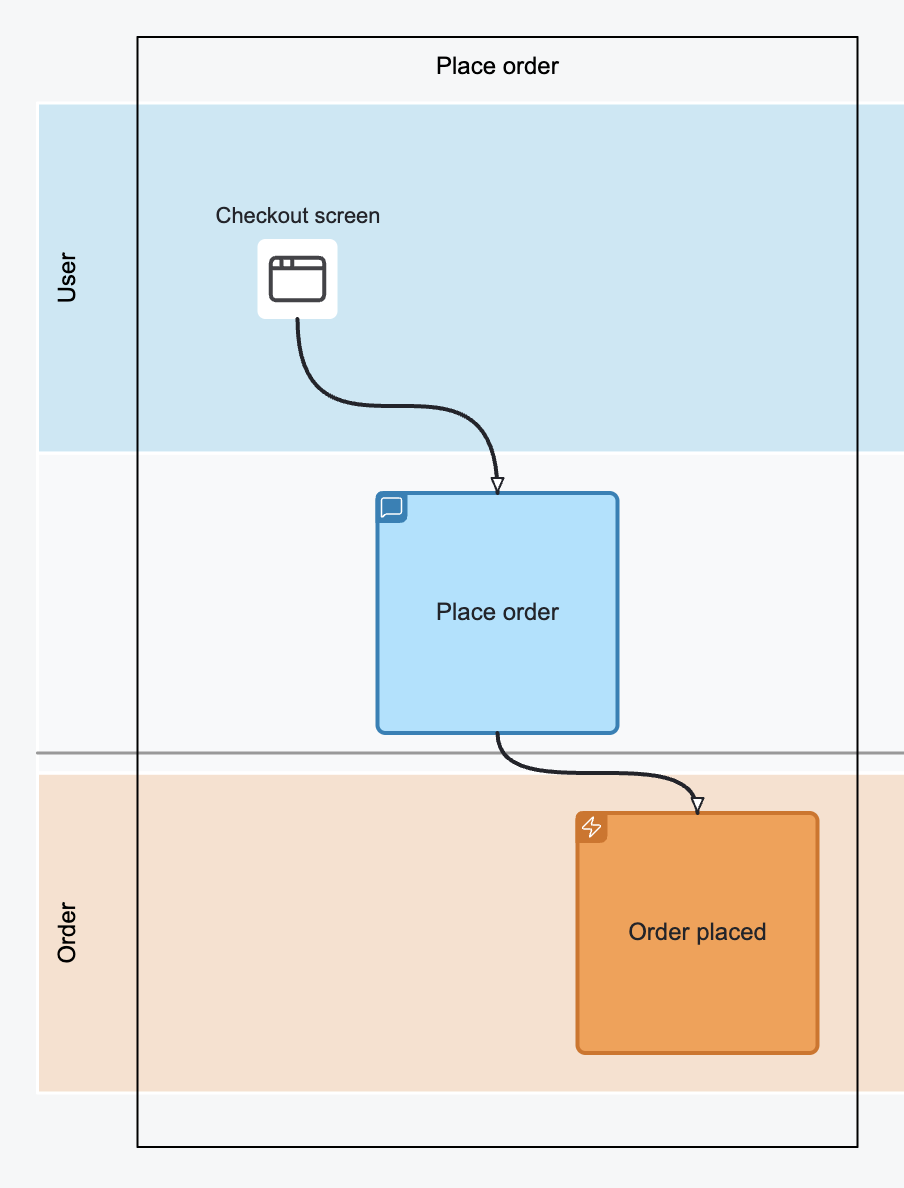
This pattern represents a user- or system-initiated change in state. It begins with a Trigger, which leads to a Command, and results in one or more Events.
- Use this to describe how business actions begin and what state changes they cause.
- Start with naming the boxes meaningfully, then refine them with relevant parameters.
- Example: User clicks “Place Order” on a “Checkout screen” → “Place Order” Command → “Order Placed” Event
View Pattern#
Event(s) → Query → View
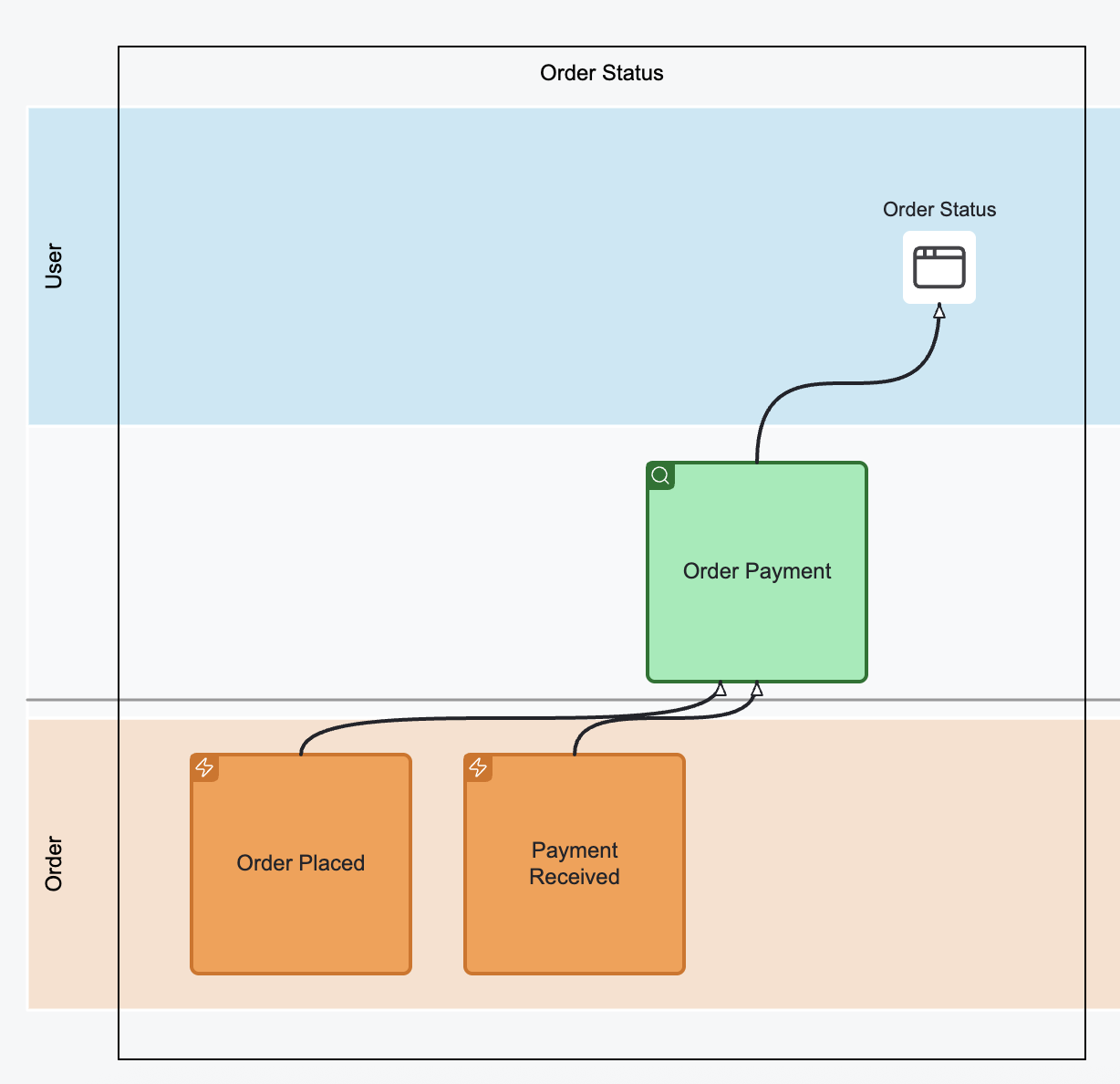
This pattern defines how system state is read. A View derives its data from one or more Events using a Query.
- Use this to show what information the system makes available for display or decision-making.
- A View can only use already existing events — missing data will become obvious quickly.
- Example: “Order Placed” + “Payment Received” Events → “Order Payment” Query → “Order Status” View
Automation Pattern#
Event(s) → Automated Trigger → Command → Event(s)
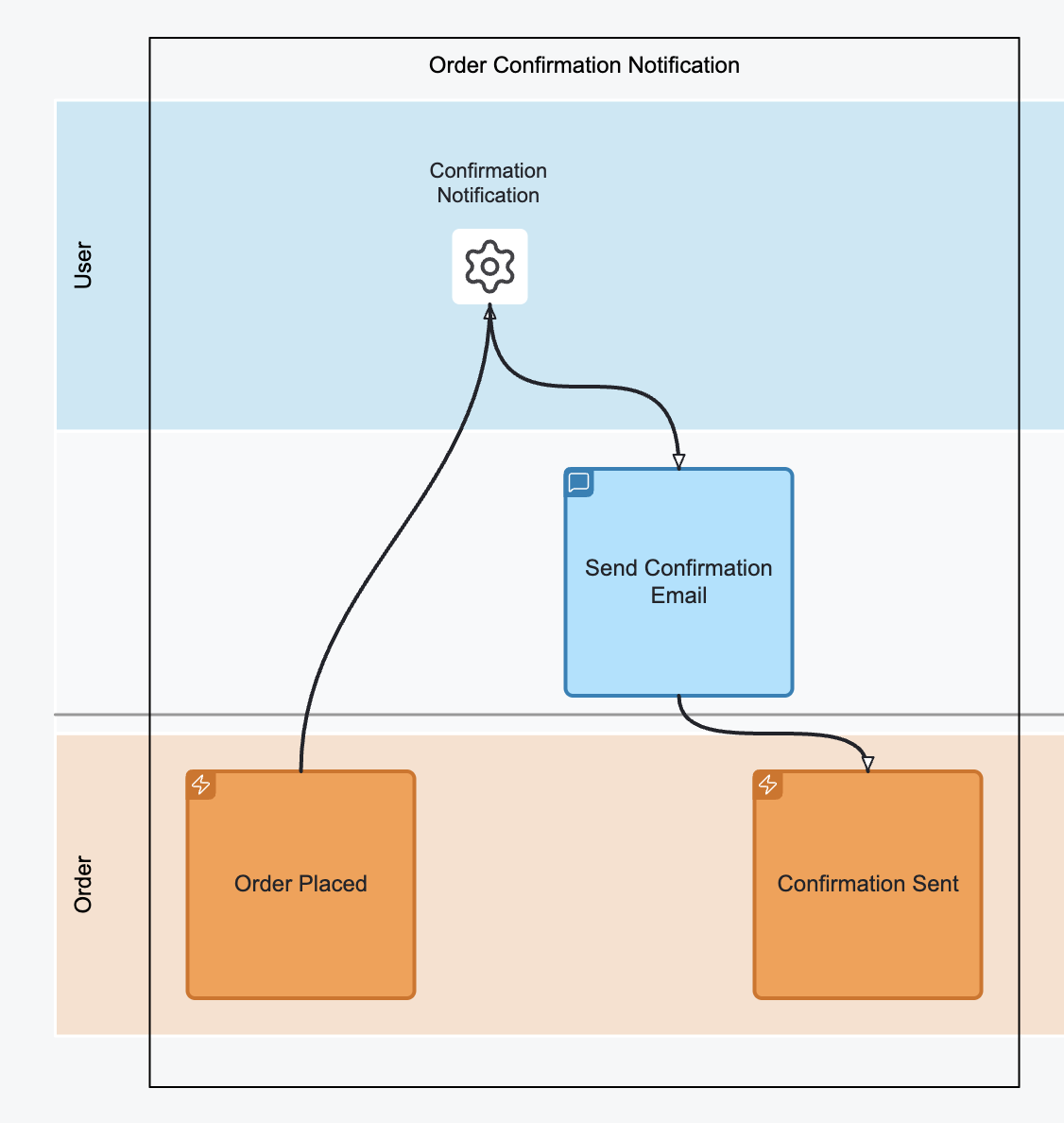
This pattern models automated workflows where the system observes data and reacts without user intervention.
- Treat the Automated Trigger like a robot reading a todo list.
- When a condition is met, it issues a Command, resulting in new Events.
- There is no business logic in the automation — only observation and action.
- Example: “Order Placed” Event → “Confirmation Notification” → “Send Confirmation Email” Command → “Confirmation Sent” Event
Translation Pattern#
Event(s) (source system) → Automated Trigger → Command → Event(s) (target system)
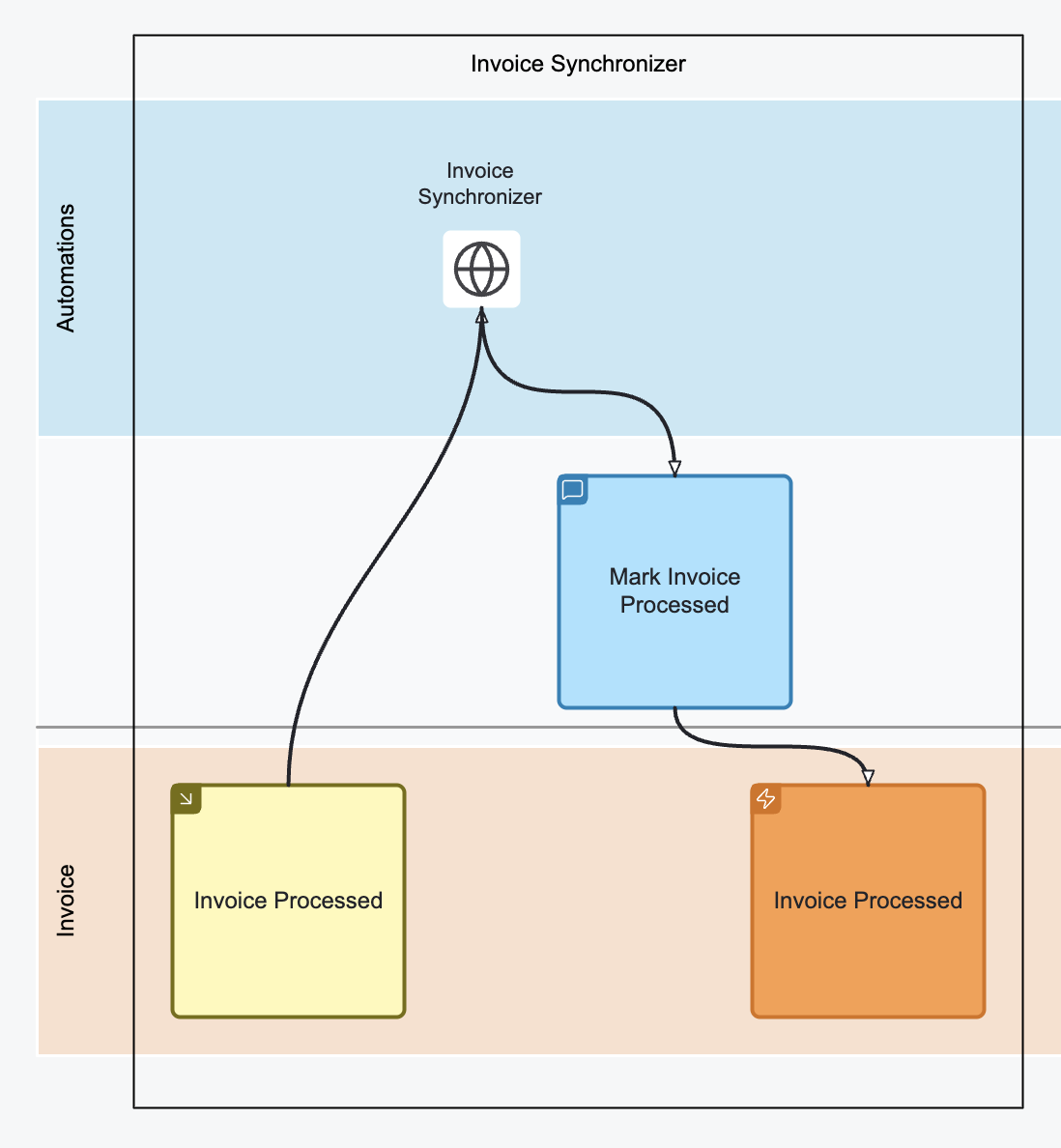
Use this when transferring knowledge or state between different systems.
- The structure is the same as the Automation Pattern.
- The read side must be limited to a single source system.
- The write side can publish to multiple systems using mechanisms like Pub/Sub.
- Example: “Invoice Processed” Event from System A → Invoice Synchronizer → “Mark Invoice Processed” Command → “Invoice Processed” Event in System B